Why your Wi-Fi is bad in a big house, and how to fix it for good
Large homes break consumer Wi-Fi in predictable ways. Here is what your walls, windows and mesh hops really cost you, and when wired access points are the right answer.
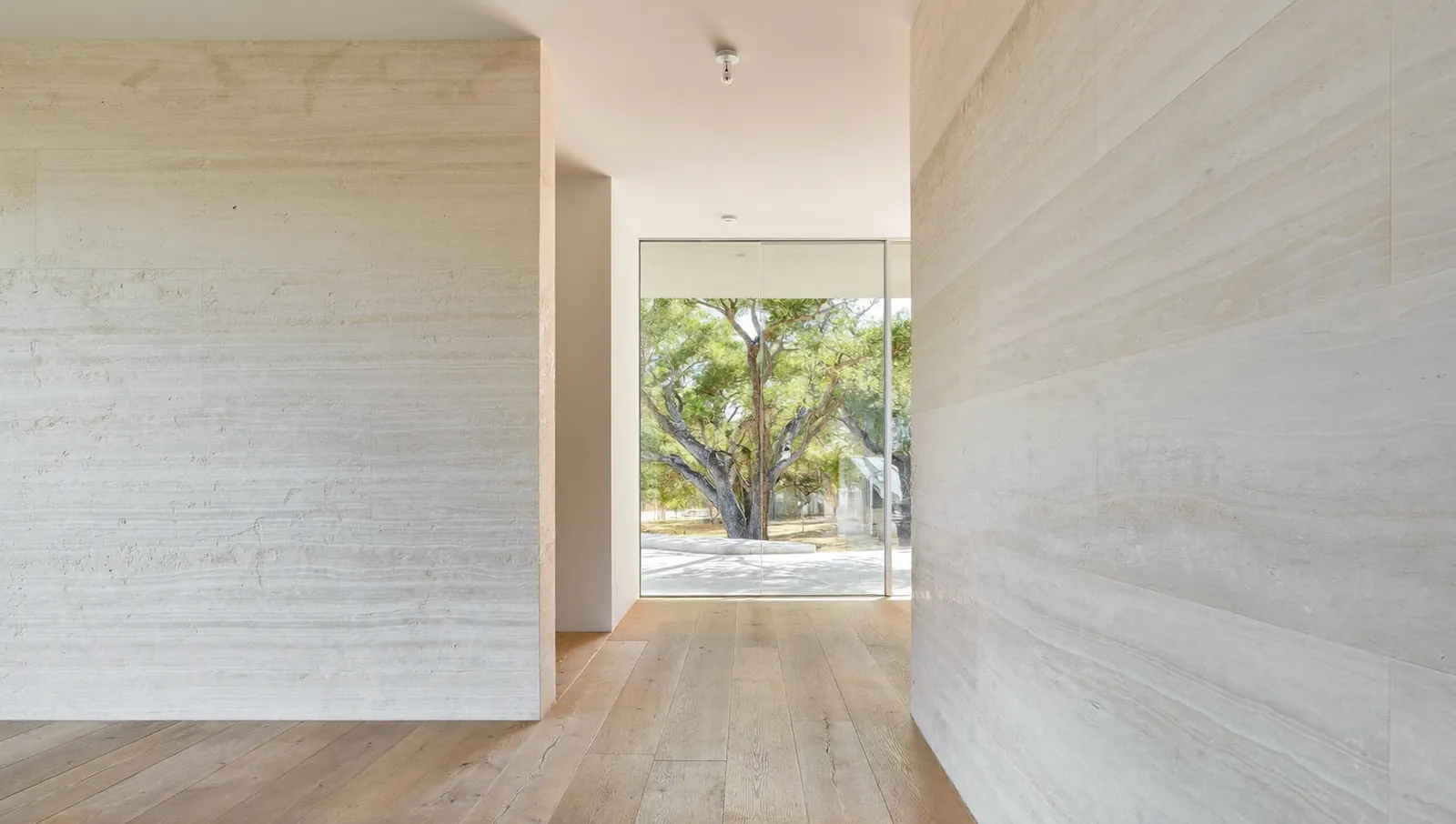
Why big houses break Wi-Fi
Most Wi-Fi problems in large homes are not about the internet plan. They are about distance, walls and how the signal gets from the router to the far rooms.
A router in a media closet on one end of a 5,000-square-foot house has to reach a primary suite, a game room over the garage and a back patio. Every wall, floor and window between them takes a bite out of the signal. As the signal weakens, your phone and the router drop to slower data rates to keep the link alive. Slower rates mean each device holds the air longer, and everyone else on that radio waits.
Large Texas homes add their own complications:
- Masonry and stone veneers on exterior walls, and sometimes on interior feature walls.
- Stucco over metal lath, which wraps the house in a fine steel mesh.
- Low-E glass on nearly every window, often double or triple coated in newer builds.
- Radiant barrier roof decking, which puts a foil layer above the second floor.
- Long, spread-out floor plans, with garages, casitas and outdoor kitchens at the edges.
None of this is a defect. These are good building choices for a hot climate. They just mean Wi-Fi has to be designed, not plugged in.
How radio signal loss works (the 60-second version)
Signal loss is measured in decibels (dB). The scale is logarithmic, so the numbers add up fast:
- 3 dB of loss cuts the signal power roughly in half.
- 10 dB leaves one tenth of the power.
- 20 dB leaves one hundredth.
So a wall that costs 5 dB is a nuisance, and a window that costs 24 dB leaves well under 1% of the power that hit it (10 raised to the power of minus 2.36 is about 0.44%).
Frequency matters too. Free-space path loss grows with frequency. Using the standard free-space loss formula, the difference between 2.4 GHz and 6 GHz at the same distance is 20 × log10(6 ÷ 2.4), or about 8 dB. That is a Dallas Automation calculation, and it is before any wall, door or person is in the way. This is the trade-off with the 6 GHz band: lots of clean spectrum, shorter reach.
What your walls and windows actually cost you
The most useful recent data on residential building materials comes from a peer-reviewed study by Zhekov and colleagues at Aalborg University, published in IEEE Antennas and Wireless Propagation Letters in 2018. They measured walls, roofs and ten modern windows in an anechoic chamber from 0.4 to 2.7 GHz, which covers the 2.4 GHz Wi-Fi band.
Mean attenuation, 0.4 to 2.7 GHz, vertical polarization, lab measurement
Every 3 dB halves the signal, so the window average leaves less than 1% of the power that reaches the glass.
View the data
| Mean loss | |
|---|---|
| Slate roof | 1.22 dB |
| Clay tile roof | 3.03 dB |
| Solid concrete block (9.9 cm) | 4.32 dB |
| Solid brick (6.5 cm) | 5.24 dB |
| Cavity concrete block (21.2 cm) | 13.2 dB |
| Modern low-E multi-pane windows (average of 10) | 23.6 dB |
Three things stand out.
Windows are the biggest single loss. All ten windows in the study used low-emissivity glass. Their average loss was 23.6 dB in one polarization and 26.3 dB in the other, and the authors observed peaks near 50 dB. Plasterboard (drywall) was negligible.
Brick and solid block are moderate. About 4 to 5 dB on average for the samples tested. Thicker or hollow units can be worse: the cavity block averaged about 13 dB.
Higher bands lose more. The study stopped at 2.7 GHz. At 5 GHz and 6 GHz, expect material losses to be equal or higher, on top of the extra free-space loss above. NIST’s 1997 materials study (NISTIR 6055) measured brick, masonry block, concrete, glass, plywood, lumber, drywall and rebar grids in two bands, 0.5 to 2 GHz and 3 to 8 GHz, and is a common reference if your engineer wants frequency-by-frequency data.
Low-E glass in detail
Low-E coatings use microscopically thin silver layers to reflect infrared heat. Silver also reflects radio. Cardinal Glass Industries, a US maker of low-E coated glass, published its own measurements in a 2021 technical bulletin (CG08-08/21). Tested at 1.1 to 1.6 GHz, its insulating glass units measured:
| Glass unit (Cardinal designation) | Signal attenuation |
|---|---|
| LoE-180 / clear (one silver layer) | 31.4 dB |
| LoE3-366 / clear (three silver layers) | 41.9 dB |
| LoE3-340 / clear | 42.5 dB |
| LoE3-366 / LoE-i89 | 55.0 dB |
| LoE3-366 / clear / LoE-180 (triple pane) | 55.8 dB |
Cardinal notes that, typically, the more silver layers, the more radio is shielded, and that while most materials such as brick, wood and concrete pass signal with minimal attenuation, “any building material with a metallic film will have higher attenuation.” (The Aalborg study above did measure a few dB through brick and block, so “minimal” is relative.) For Wi-Fi, this matters most when you want coverage on a patio, pool deck or outdoor kitchen from an access point inside. Plan an outdoor-rated access point instead of shooting through the glass.
Stucco with metal lath
Three-coat stucco is applied over a galvanized wire or expanded-metal lath. We could not find a published, controlled measurement of residential stucco-and-lath loss at Wi-Fi frequencies, so we will not quote a number. The physics is clear enough to plan around: the openings in lath are much smaller than a Wi-Fi wavelength (about 12.5 cm at 2.4 GHz and 5 cm at 6 GHz, from wavelength = speed of light ÷ frequency), so the mesh behaves like a partial metal screen. Treat a stucco exterior wall as a strong barrier and keep outdoor coverage on its own access point.
Radiant barriers
A radiant barrier is a reflective foil layer, often laminated to roof decking. Radiant barriers are used to cut attic heat gain, so they are common in hot-climate attics, including in many North Texas homes. A continuous metal foil above the top floor can block signal heading up into the attic or out through the roof. In practice this matters for two things: an access point mounted in the attic (do not do this; attic heat is also hard on electronics) and coverage for detached structures that you were hoping to reach over the roofline.
Mesh Wi-Fi: what it does well and where it falls short
A mesh system is a main router plus satellites that talk to each other and present one network name. Setup is simple, roaming is usually handled for you, and many systems are good products.
The weak point is backhaul, the link that carries traffic between satellites and the router. If that link is wireless, the satellite has to receive data over the air and then send it again to your device. Cisco’s wireless controller documentation explains it plainly: because a mesh access point uses the same radio to send and receive backhaul traffic, throughput roughly halves at each hop.
Cisco worked example for a 24 Mbps backhaul link
The absolute speeds are from an older radio generation; the proportional drop is the point, and it applies to modern single-radio backhaul too.
View the data
| Approximate throughput | |
|---|---|
| Backhaul link rate | 24 Mbps |
| After 1st hop | 14 Mbps |
| After 2nd hop | 9 Mbps |
| After 3rd hop | 4 Mbps |
Cisco Meraki’s current mesh deployment guide gives the same rule of thumb: about a 50% throughput reduction per hop, and it recommends designing for no more than one mesh hop from the wired access point to the client.
Modern consumer systems soften this in two ways. Tri-band and quad-band units can dedicate one radio to backhaul, so the satellite is not sharing a single radio between your phone and the uplink. Wi-Fi 7 adds Multi-Link Operation (MLO), which lets devices use more than one band at once. Both help. Neither changes the walls. A satellite that has to hear the router through a stone fireplace wall and a low-E window will still connect at a low rate, and everything behind it inherits that rate.
Mesh is a good fit when: – The floor plan is compact or open, mostly drywall inside, and no satellite needs more than one hop. – You can place each satellite with a clear line through interior walls (not through glass or masonry) to the router. – You rent, or the walls are finished and cannot be opened.
Mesh struggles when: – Satellites must chain through each other to reach the far end of the house. – The path crosses exterior masonry, stucco or a wall of windows. – You stream 4K on several TVs, back up phones to the cloud and work on video calls at the same time.
The middle path is wired backhaul mesh. Many mesh systems let you plug a satellite into an Ethernet jack. That removes the hop penalty and is often the cheapest fix in a home that already has some network cable in the walls.
Wired access points: how they solve it
A wired access point (AP) is a radio only. Each one connects by Ethernet cable to a central network switch, usually powered over the same cable (Power over Ethernet, or PoE). There are no wireless hops. Every AP gets full wired speed back to the router, and you place APs where people actually use devices.
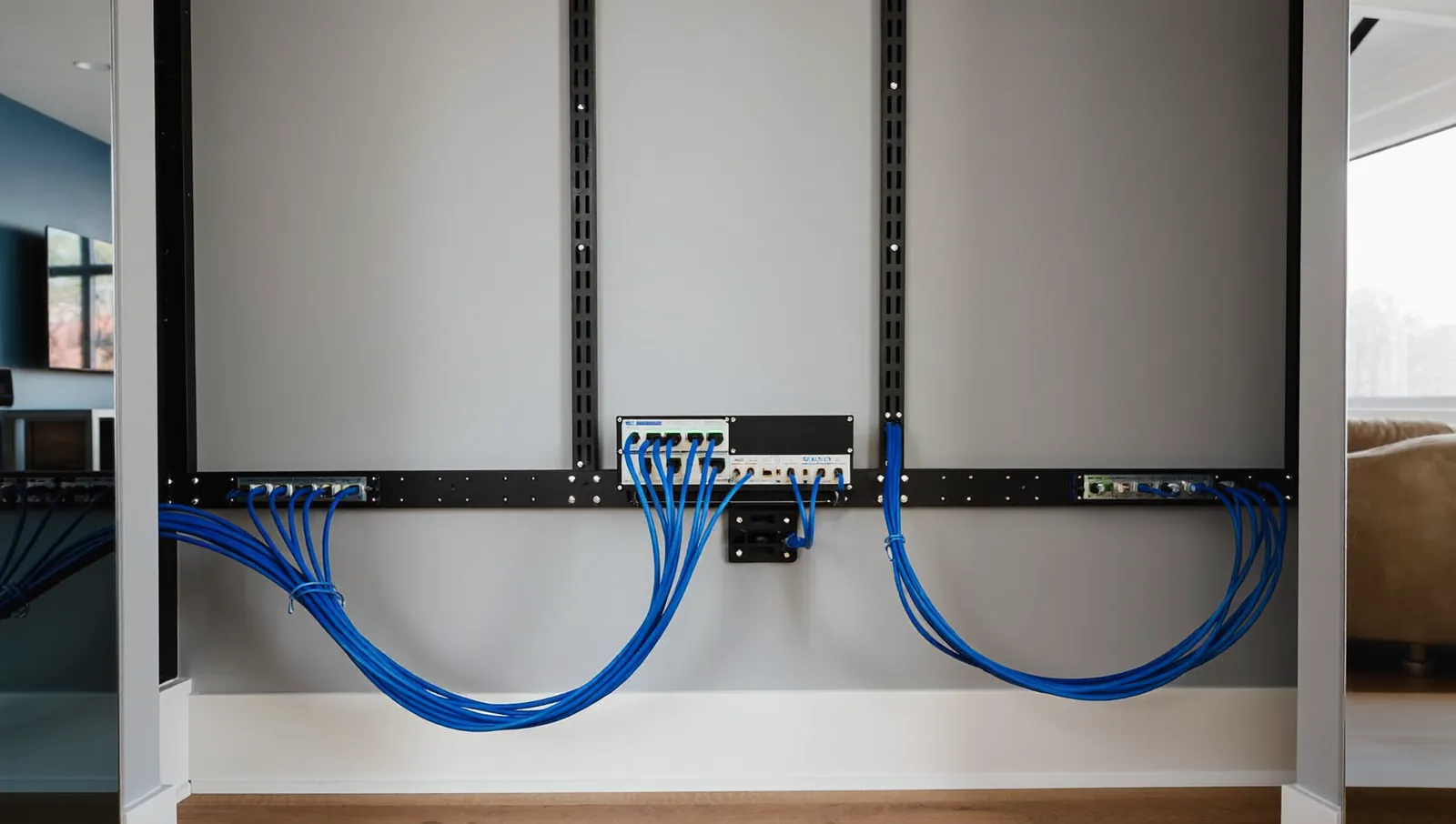
This is how offices, hotels and stadiums do Wi-Fi, and it is the standard in well-built custom homes.
What changes with wired APs
- No hop penalty. Each AP talks to devices in its own area and sends traffic over copper.
- Lower transmit power, more APs. Instead of one loud router, several APs run at moderate power. Devices roam between them more cleanly and interfere less.
- Better placement. APs go on ceilings, centered in the space they serve, which is the best spot for coverage and the least visible.
- Central management. One controller or app shows every AP, every client and every problem.
Wi-Fi 6E and Wi-Fi 7 as of November 2026
The FCC voted on April 23, 2020 to make 1,200 MHz of spectrum at 6 GHz available for unlicensed use, which opened the door to Wi-Fi 6E. The Wi-Fi Alliance launched Wi-Fi CERTIFIED 7 in January 2024. According to the Wi-Fi Alliance, Wi-Fi 7 adds 320 MHz channels in the 6 GHz band, Multi-Link Operation, and 4K QAM (about 20% higher transmission rates than Wi-Fi 6’s 1024 QAM). As of November 2026, Wi-Fi 7 is the newest generation we could confirm with a certification program.
What that means for a large home:
- 6 GHz is fast and clean, but short-range. It is excellent in the room with the AP and the next room over. It does not punch through masonry or glass. This favors more APs, closer to people, which is exactly what a wired design gives you.
- Your devices set the ceiling. A Wi-Fi 7 AP does nothing extra for a 2019 laptop. Check what your phones, laptops and streaming boxes support before paying for the top tier.
- The cable matters. Wi-Fi 7 APs can deliver multi-gigabit speeds, so ask whether the switch ports and cabling support more than 1 Gbps to each AP.
Where to put access points
A good wireless design starts with the floor plan, not the square footage. Plan by walls and use, then confirm with a survey.
- Mark where people use devices. Kitchen and family room, offices, primary suite, media room, game room, patio and pool. These get coverage first.
- Mark the barriers. Exterior masonry, stucco walls, fireplace chases, stairwells with stone cladding, mirrored walls, and every large window wall.
- Put one AP in each zone that is separated by a strong barrier. A wing behind a masonry wall gets its own AP. So does a detached casita or garage apartment.
- Mount on the ceiling, centered in the zone. Ceiling APs radiate down and out like a light fixture. Avoid closets, cabinets and attics.
- Keep APs away from metal. Do not mount next to HVAC ducts, metal light fixtures or behind a TV.
- Cover outdoors from outdoors. Use an outdoor-rated AP under an eave or soffit for the patio, pool and outdoor kitchen. Do not try to push signal through low-E glass.
- Run cable to every AP location during construction or remodel, even if you start with fewer APs. Pulling cable later is the expensive part.
- Survey after install. A walk-through with a survey tool (or at least a signal app on a phone) catches dead spots before the drywall dust settles.
Mistakes we see often
- A router hidden in a structured-wiring can in the garage, behind a metal door.
- Mesh satellites placed on the floor behind furniture.
- One “whole-home” router expected to reach a second floor through a radiant barrier and a stone wall.
- Outdoor coverage attempted from inside through coated glass.
- Brand-new APs connected with old, untested cable.
Questions to ask a Wi-Fi installer
- How many APs do you recommend, and which walls and windows drove that number?
- Will every AP have a wired connection, or are any wireless hops?
- What speed are the switch ports and the cabling to each AP?
- Will you do a survey after installation and show me the results?
- How is the system managed, and who can see it remotely? What happens if I change installers?
- Which Wi-Fi standard are you proposing, and do my current devices support it?
On licensing: in Texas, low-voltage communications cabling (Class 2 and communications circuits) is exempt from state electrician licensing, according to the Texas Department of Licensing and Regulation. Any new 120-volt outlet or circuit for network equipment is electrical work and needs a TDLR-licensed electrician. Cities can add their own permit rules, so check with yours.
What to do next
If your Wi-Fi is weak in parts of the house, start simple. Move the router out of closets and cabinets, and run a speed test in each room so you know where the problem actually is. If you already own a mesh system, try connecting one satellite to an Ethernet jack. That single change often fixes the far end of the house.
If you are building or remodeling, ask for Ethernet to every likely AP location on the ceiling, plus every TV, office and outdoor living area. Cable in the walls is the one part of a network that should outlast every router you will buy.
If you are in Dallas-Fort Worth, we are happy to look at your plans or walk the house with you.
Frequently asked questions
Is mesh Wi-Fi good enough for a big house?
Often, yes, if each satellite is one hop from the router and does not have to talk through masonry or glass. Cisco Meraki’s guidance is to design for no more than one hop. If satellites chain through each other or the house has heavy walls, use wired backhaul or wired access points.
Will a Wi-Fi 7 router fix my dead spots?
Usually not by itself. Wi-Fi 7’s biggest gains come in the 6 GHz band, which has shorter range than 2.4 GHz. Dead spots are caused by distance and barriers, so the fix is more access points closer to where you use devices.
Why is my Wi-Fi bad on the patio?
Modern windows use low-E coatings with metal layers, and lab tests have measured losses of roughly 24 dB on average and up to about 55 dB for heavily coated units. Exterior stucco and masonry add more. An outdoor-rated access point mounted outside is the reliable answer.
Can I put an access point in the attic?
We do not recommend it. Many Texas attics have a radiant barrier and insulation between the AP and the rooms below, and attic temperatures are hard on electronics. Mount APs on the ceiling inside conditioned space.
Do I need an electrician to install access points?
Running low-voltage network cable is exempt from Texas state electrician licensing, according to TDLR. Adding a new 120-volt outlet or circuit is electrical work that requires a TDLR-licensed electrician. Local permit rules can also apply.
How many access points does my home need?
There is no reliable square-foot formula, because walls matter more than area. Plan one AP for each zone separated by a strong barrier, plus outdoor living areas, then confirm with a survey after install.
Sources
- Mesh Deployment Guide, Cisco Meraki Documentation, accessed 2026
- Cisco Wireless LAN Controller Configuration Guide, mesh networking architecture overview, Cisco (reproduced by ManualsLib)
- Measurement of Attenuation by Building Structures in Cellular Network Bands, Zhekov et al., IEEE Antennas and Wireless Propagation Letters, 2018
- Electromagnetic Shielding Effectiveness of Low-E Coatings, Technical Service Bulletin CG08-08/21, Cardinal Glass Industries, 2021
- Electromagnetic Signal Attenuation in Construction Materials (NISTIR 6055), W. C. Stone, NIST, 1997
- Wi-Fi CERTIFIED 7, Wi-Fi Alliance, accessed 2026
- Wi-Fi Alliance introduces Wi-Fi CERTIFIED 7, Wi-Fi Alliance, January 2024
- FCC Adopts New Rules for the 6 GHz Band, Unleashing 1,200 Megahertz of Spectrum for Unlicensed Use, Federal Communications Commission, April 2020
- Exemptions to Electrician Licensing, Texas Department of Licensing and Regulation
More from the Journal
Tunable white and circadian lighting: what the research actually shows
Light at the eye affects your body clock, and the science now gives real numbers. Here is what is proven, what is not, and how a lighting control system puts the numbers to work at home.
Control4 vs Savant vs Crestron: which smart home system fits your home?
How the three big professional platforms compare on interfaces, dealers, programming, yearly fees and long-term support, plus where Josh.ai, Lutron-only systems and DIY options like Home Assistant and Apple Home fit.
Is home automation worth it, and does it add resale value?
What buyer surveys, listing studies and federal energy data actually show about smart home value, where the evidence is strong, where it is thin, and how to spend so the money holds up.
Planning a project in Dallas–Fort Worth?
Tell us about the house. You get a clear scope and a price range back.