How to keep your AV and network closet cool in a Texas home
A home equipment rack turns electricity into heat all day, every day. Here is how to calculate that heat, why the attic is the wrong place for it, and when vents, fans or a mini-split make sense.
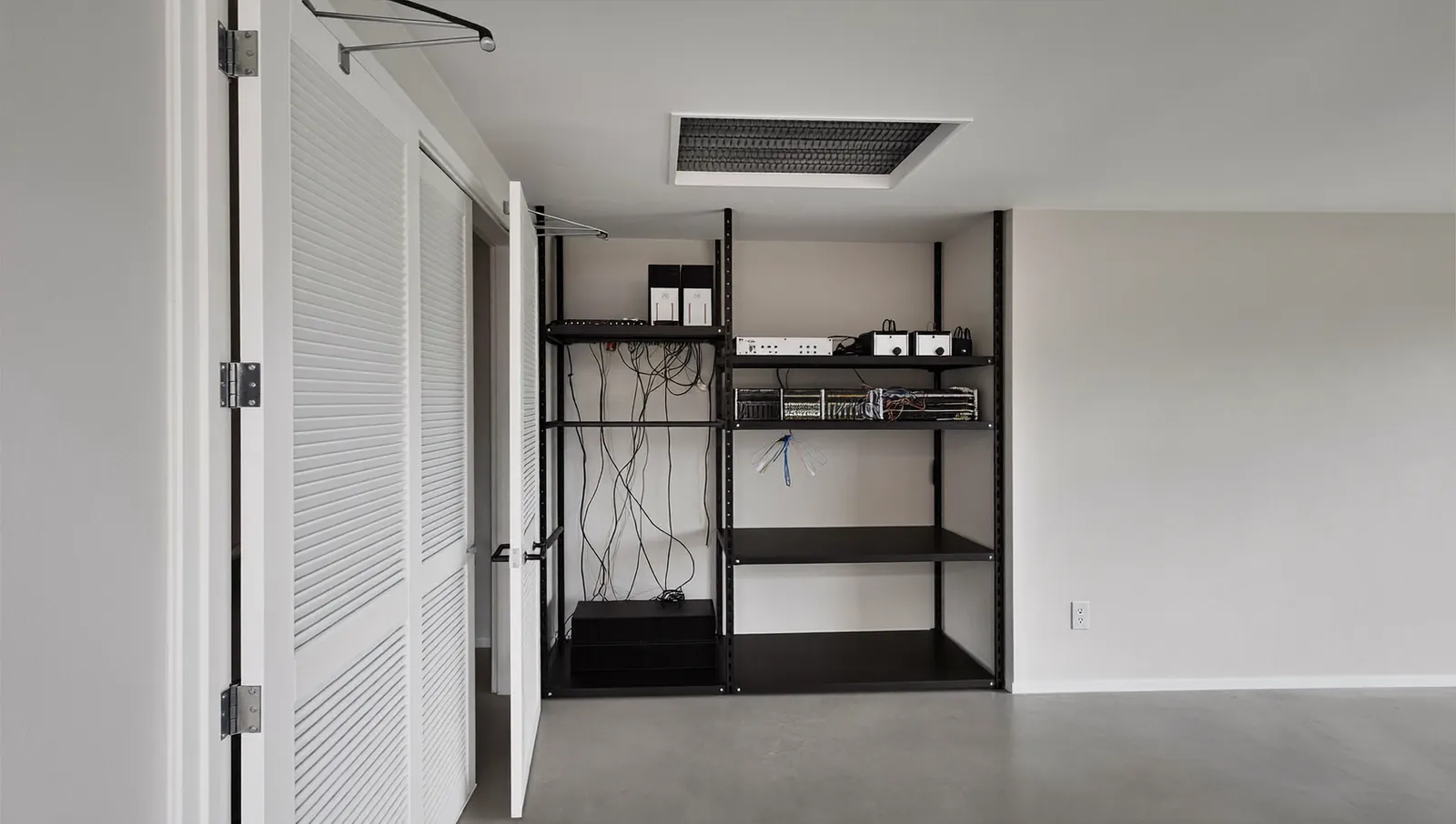
Heat is the quiet killer of home electronics
Network gear, amplifiers and storage drives rarely fail with a bang. They slow down, reboot at random, throttle or wear out early. Heat is a common cause, and in Texas it is predictable.
The problem is simple physics. Electronic equipment converts nearly all the power it draws into heat in the room where it sits. A closed closet has no way to get rid of it. Temperature climbs until the heat leaking through the walls matches the heat coming in. That balance point is often well above what the equipment is rated for.
APC (now part of Schneider Electric) put it plainly in its 2003 White Paper 69 on wiring closets: cooling and airflow are often a bigger but often ignored problem. Schneider Electric’s White Paper 68 (2010) opens by saying that cooling for IT wiring closets is rarely planned and typically only implemented after failures or overheating occur. The fix is cheap when planned and expensive when it is an afterthought.
The heat load math
You need only one conversion:
Heat in BTU per hour = watts × 3.412
The U.S. Energy Information Administration lists 1 kilowatt-hour as 3,412 BTU, which is where the factor comes from. Synology’s spec sheet for its DS925+ NAS shows the same relationship: 37.91 W of power draw is listed as 129.27 BTU/h.
What the equipment actually draws
Use manufacturers’ spec sheets, not the power supply rating on the label. Here is a realistic rack for a well-equipped home, with figures from each maker’s published specifications:
| Device | Spec-sheet figure | Heat (BTU/h) |
|---|---|---|
| Ubiquiti UniFi Dream Machine Pro Max (gateway) | 60 W max | 205 |
| Ubiquiti UniFi Pro Max 24 PoE (switch) | 50 W max, excluding PoE output | 171 |
| Synology DS925+ (4-bay NAS) | 37.91 W in use | 129 |
| Sonos Amp × 4 (whole-home audio) | 16 W dissipated each at 1/8 power into 8 ohms | 218 |
| APC Smart-UPS SMT1500RM2UC (1,440 VA / 1,000 W UPS) | 225 BTU/h heat dissipation listed | 225 |
| Total | 277.9 W | 948 |
For the Sonos Amp, Sonos publishes power dissipation, meaning the heat the amp itself gives off rather than the power it sends to speakers: 16 W (56 BTU/h) per Amp at 1/8 power into 8 ohms on 115 V. Our 218 total uses watts × 3.412, so it differs by a few BTU from Sonos’s rounding. Into 4-ohm speakers the figures are higher (18 W at 1/8 power, 37 W at full power on 115 V). Schneider Electric lists the SMT1500RM2UC at 225 BTU/h (about 66 W); one distributor copy of an older data sheet shows 190 BTU/h, so we used the higher figure.
The PoE question
A PoE switch can draw far more than its own 50 W. Ubiquiti lists the Pro Max 24 PoE at 450 W maximum including PoE output, with 400 W of total PoE available. But most PoE power is carried down the cable and turned into heat at the access point, camera or doorbell, not in the closet. APC’s White Paper 69 makes the same point with an example: a switch drawing 1,800 W may dissipate only 200 to 500 W in the closet.
For a conservative estimate, that paper’s heat worksheet counts 0.6 × the input power rating of a PoE switch as closet heat, and 0.09 × the UPS’s power rating (the UPS rating, not the load). Applying that to our rack, and running the amplifiers at full power into 8 ohms (28 W dissipated each per Sonos), gives a worst case:
- Switch: 0.6 × 450 W = 270 W
- UPS: 0.09 × 1,000 W = 90 W
- Amps: 4 × 28 W = 112 W
- Gateway and NAS unchanged: 60 W + 37.91 W
That totals 569.9 W, or about 1,944 BTU/h (570 × 3.412). With 4-ohm speakers at full power (37 W each on 115 V), the amps would add about 120 BTU/h more.
Same five-device rack, spec-sheet case versus APC conservative worksheet case
Each bar is the total heat the rack adds to the closet; the switch segment grows most because the conservative case assumes much of the PoE power stays in the closet.
View the data
| Gateway | PoE switch | NAS | Four amplifiers | UPS losses | |
|---|---|---|---|---|---|
| Spec-sheet case | 205 BTU/h | 171 BTU/h | 129 BTU/h | 218 BTU/h | 225 BTU/h |
| Conservative case | 205 BTU/h | 921 BTU/h | 129 BTU/h | 382 BTU/h | 307 BTU/h |
The real number for most homes is somewhere between the two bars. It also changes with the time of day: amplifiers idle at 5.9 W each per Sonos, and the NAS drops to 12.33 W (42.05 BTU/h) with its drives in hibernation, per Synology. Plan for the high end.
How much air you need to move
To remove heat with air, HVAC engineers use the sensible heat equation: BTU/h = 1.08 × airflow (CFM) × temperature rise (°F). Rearranged:
CFM = BTU/h ÷ (1.08 × temperature rise)
If the air coming in is house air at about 75°F and you are willing to let the closet run 10°F warmer:
- Spec-sheet case: 948 ÷ (1.08 × 10) = about 88 CFM.
- Conservative case: 1,944 ÷ (1.08 × 10) = about 180 CFM.
Those are modest numbers for a fan, but they need a path. A closed door with no grille gives the air nowhere to go.
How hot is too hot
Check the operating temperature on each spec sheet. In this rack, every device tops out at the same number.
Manufacturer specifications, compared with the ASHRAE recommended range for IT equipment
Each bar spans the allowed temperatures; the shared 104°F ceiling is the number to design around, and the ASHRAE band shows where equipment is happiest.
View the data
| Low | High | |
|---|---|---|
| UniFi Dream Machine Pro Max | 14 °F | 104 °F |
| UniFi Pro Max 24 PoE switch | 23 °F | 104 °F |
| Synology DS925+ | 32 °F | 104 °F |
| APC Smart-UPS SMT1500RM2UC | 32 °F | 104 °F |
| ASHRAE recommended range | 64.4 °F | 80.6 °F |
Two notes:
- Rated is not ideal. 104°F is the edge of the envelope, not a target. ASHRAE’s technical committee for data center equipment (TC 9.9) recommends 18 to 27°C (64.4 to 80.6°F) at the equipment inlet for most equipment classes, and treats higher temperatures as allowable rather than recommended. Those guidelines were written for data center servers, not home gear, but they are the best-known benchmark.
- Batteries are the most sensitive part. Schneider Electric says the optimal operating temperature for a lead-acid UPS battery is 20 to 25°C (68 to 77°F), and as a general rule every 8°C (15°F) increase cuts battery life in half. Its example: a battery expected to last 4 years at 25°C (77°F) would last about 2 years at 33°C (about 91°F). It also notes the battery inside a UPS runs warmer than the room.
Why the attic fails
Texas builders love to put things in the attic. For equipment, it is the worst place in the house.
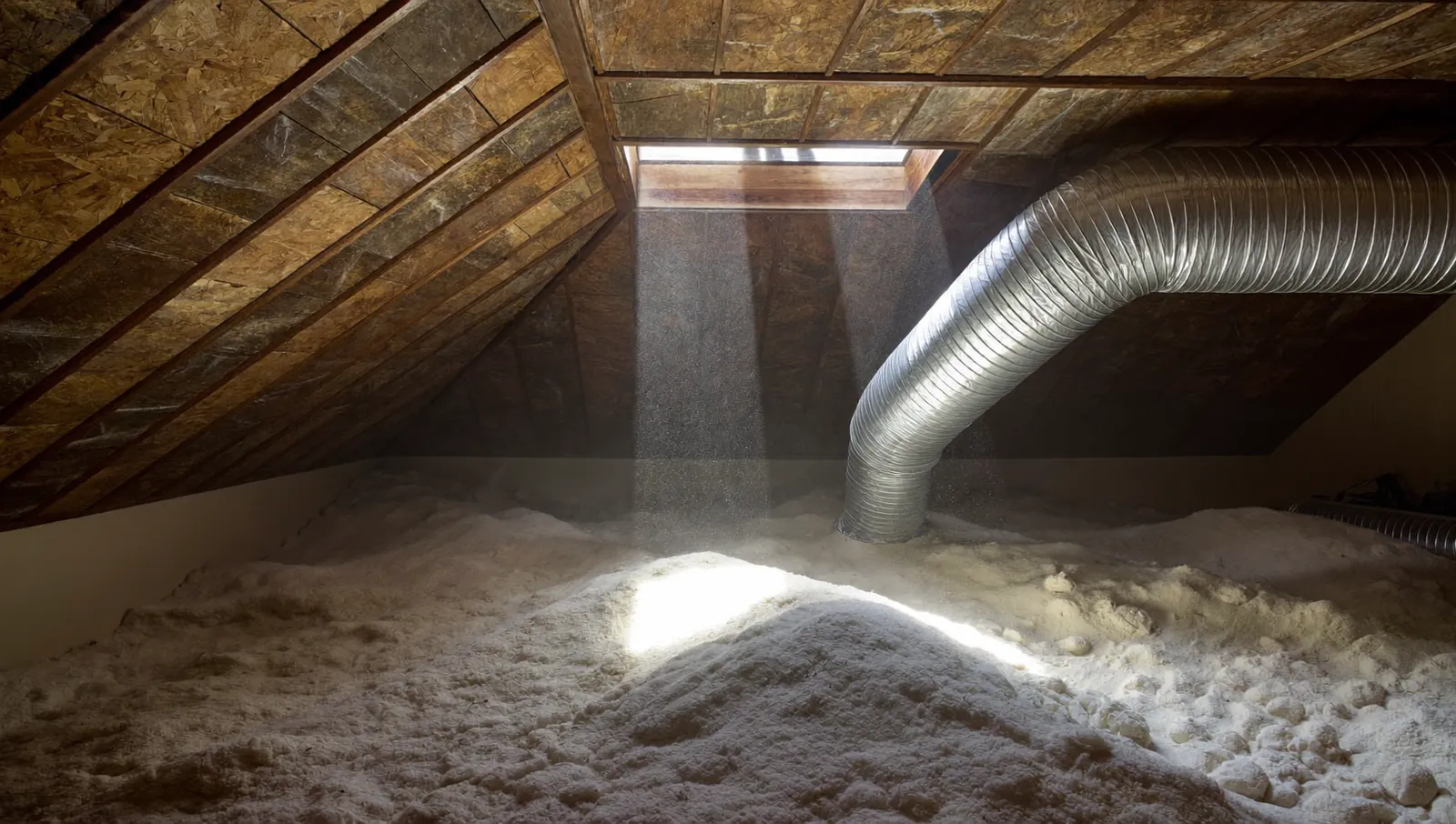
There is not much published attic temperature data from Texas homes. The most useful field data we found comes from the Florida Solar Energy Center, which analyzed summer attic air in some 21 occupied Florida homes (Parker and Sherwin, presented at the 1998 ASHRAE Annual Meeting). Looking at the hottest 2.5% of 15-minute readings from June through September, the study found attic air ran well above outdoor air:
- Shingle roof, soffit vents only: outdoor + 35°F.
- Shingle roof with radiant barrier, soffit vents only: outdoor + 25°F.
- Shingle roof, soffit and ridge vents: outdoor + 22°F.
- Tile roof: outdoor + 10°F.
- White roof: outdoor − 1.5°F.
The authors caution that the 21-house data set is not a statistical sample and may only be representative of Florida, though they expect the general ranking to hold elsewhere. Nearly all the homes also had ductwork in the attic, which the authors say pulls attic air temperatures down.
Now apply that to Dallas–Fort Worth. The National Weather Service in Fort Worth reports that DFW’s 1991 to 2020 normal is 20 days a year at 100°F or hotter, and that the record is 71 such days, set in 2011. On a 100°F afternoon:
Outdoor temperature plus the measured peak attic-to-outdoor difference for each roof type
Any bar longer than the last one means the attic is hotter than the rack is rated to run, before the rack adds its own heat.
View the data
| Temperature | |
|---|---|
| Shingle roof, soffit vents only | 135 °F |
| Shingle roof, radiant barrier, soffit vents only | 125 °F |
| Shingle roof, soffit and ridge vents | 122 °F |
| Tile roof | 110 °F |
| White roof | 98.5 °F |
| Equipment maximum operating temperature | 104 °F |
If your home has a shingle roof, the estimated attic air on a 100°F day is 18 to 31°F above the equipment’s maximum, before the rack adds a single BTU. This is a rough estimate (Florida data applied to a Texas day), but the margin is large. APC’s worksheet is blunt about closets where the rest of the building is “hostile space” with no HVAC: air from outside the room cannot be considered safe to use, and even a load under 100 W calls for a self-contained air conditioner next to the equipment.
The same logic applies to garages and exterior closets. If the space is not inside the conditioned envelope of the house, it is not a good home for electronics.
Cooling options, from free to dedicated
APC’s wiring-closet worksheet (White Paper 69, 2003, written for office VoIP closets) gives a practical ladder for a closet inside a conditioned building. We have kept its thresholds and translated them to a home.
| Equipment heat in closet | What APC recommends | What it looks like in a house |
|---|---|---|
| Under 100 W | No action: wall conduction and infiltration are enough | A small network shelf in a hall closet |
| 100 to 500 W | Passive: a vent low in the door, and an exhaust grille high in the door or a return grille in the closet ceiling | A louvered door, or low and high grilles, or a ceiling return |
| 500 to 1,000 W | The same air path with ventilation fan assist | A quiet, thermostatically controlled exhaust fan high in the closet or door, with a low intake grille |
| Over 1,000 W | Enclosed rack with hot exhaust air scavenging, or a self-contained air conditioner when moving air through the door is not enough | A ducted exhaust or a dedicated ductless mini-split |
| Under 100 W, rest of building is hostile space with no HVAC | Self-contained air conditioner next to the equipment | Move the rack, or cool it independently |
Our example rack (about 280 W by spec sheet, up to about 570 W worst case) sits in the passive-to-fan-assisted range when it is inside the house.
Passive ventilation
Passive works when the closet opens to cool house air. Air enters low and leaves high because warm air rises. Practical steps:
- A louvered door, or grilles low and high on a solid door.
- A ceiling return grille in the closet if your HVAC system can accept it. Ask your HVAC contractor, because this changes how the system balances.
- Keep the back of the rack a few inches off the wall so hot exhaust can rise.
Active ventilation
Add a fan when the load approaches 500 W or when the closet has no easy route to the rest of the house.
- Use a quiet inline or through-wall fan with a thermostat, so it runs only when needed.
- Size it from the CFM math above, with margin for grille resistance.
- Push hot air out high; let cool air in low. Never exhaust into an attic.
- Many racks also accept top-mounted fan panels. They help move heat out of the rack, but they still need the room to get rid of it.
A dedicated mini-split
A ductless mini-split cools the closet independently of the house system. It makes sense for a large rack, a theater equipment room with big amplifiers, or a closet that cannot get a good air path. It also keeps the closet cool when you set the house thermostat high while traveling.
Costs (national figures, not Texas quotes): PickHVAC’s May 2026 guide puts a single-zone, 9,000 to 12,000 BTU/h mini-split at $1,200 (low), $2,800 (typical) and $5,000 (high) installed. Those numbers assume Midwest labor rates, standard models such as Mitsubishi MSZ or similar, normal access, a 10 to 25 foot line set and no major electrical upgrades. Carrier’s 2026 guide gives a much wider $2,500 to $15,000 or more for ductless installs in general, with single-zone systems at the lower end. Treat both as rough national ranges and get local quotes. What drives cost: capacity and efficiency rating, line set length, wall penetrations, condensate routing, local labor and the dedicated electrical circuit.
Three cautions:
- Size matters. A 9,000 BTU/h unit is about ten times our spec-sheet rack load. An oversized unit cycles on and off, which is hard on the compressor and poor at removing humidity. Ask the HVAC contractor about the smallest suitable model and low-load operation.
- Licensing. In Texas, installing or servicing air conditioning is air conditioning and refrigeration contracting, which requires a TDLR air conditioning and refrigeration (ACR) contractor license under Occupations Code chapter 1302. A new circuit from your panel is electrical work for a TDLR-licensed electrician. The statute does let a licensed ACR contractor make the electrical connection to the equipment itself, including its dedicated disconnect (§1305.003(a)(11)), so agree in writing who does which part.
- Condensate. In a closet, a clogged drain line can drip onto equipment. Use a float switch that shuts the unit off if the drain backs up.
Monitor it, because you will not notice
Closets are out of sight. A failed fan or a summer setback on the thermostat can cook gear for days before anyone notices. APC’s White Paper 69 calls temperature and humidity monitoring for wiring closets highly recommended, because it flags abnormal conditions early enough to act.
- Put a temperature and humidity sensor at the top front of the rack, where the equipment inlets see the warmest air.
- Set alerts below the limit. An alert at 85°F gives you time before anything reaches its 104°F rating.
- Use what you already have. Many network UPS units accept a temperature probe, and many smart home and network platforms can send phone alerts from inexpensive sensors.
- Watch for patterns. If the closet climbs every afternoon in August, fix the airflow before it becomes a failure.
- Check the UPS battery date. Heat shortens its life, so replace it on schedule.
What to do next
- Add up your rack’s watts from the spec sheets and multiply by 3.412.
- Decide where the rack goes. Choose a closet inside the conditioned house, never the attic or garage.
- Match the cooling method to the load using the APC table.
- Plan the air path, the power circuit and the sensor before drywall if you are building.
- Hire licensed trades for the circuit and any mini-split, and test the closet temperature on a hot afternoon after move-in.
If you are in Dallas–Fort Worth, we are happy to look at your plans and help size the closet.
Frequently asked questions
How do I convert watts to BTU per hour?
Multiply watts by 3.412. A rack drawing 300 W adds about 1,024 BTU/h of heat to the room. Use the spec sheet’s typical or maximum consumption, not the power supply’s rating.
Can I put my network rack in the attic if I add a fan?
A fan only helps if the air it brings in is cooler than the equipment’s limit. In a Florida field study, attic air under tile and shingle roofs ran 10 to 35°F above outdoor temperatures at summer peak, so on a DFW summer day a fan just blows hot air across the gear. APC’s guidance for unconditioned space is a self-contained air conditioner, so it is usually simpler to move the rack inside.
Do PoE cameras and access points heat up my closet?
Mostly not. PoE power travels down the cable and becomes heat at the device. The switch itself adds its own consumption plus some conversion losses, which is why APC’s conservative worksheet counts part of the PoE switch’s rating as closet heat.
Is a louvered door enough?
For a typical home rack under about 500 W inside conditioned space, a louvered door or low and high grilles usually is, according to APC’s closet guidance. Above that, add a thermostatically controlled exhaust fan. Always check with a temperature sensor on a hot day.
What temperature should my equipment closet stay below?
Aim to keep the air at the front of the rack near normal room temperature, ideally under about 80°F, which matches the top of ASHRAE’s recommended range. Most home network gear is rated to 104°F, but running near that limit shortens equipment and battery life.
Does a UPS make heat even when the power is on?
Yes. A UPS has internal losses all the time it runs. APC lists 225 BTU/h of heat dissipation for the SMT1500RM2UC, more than two Sonos Amps at full power, and its battery wears out faster in a hot closet.
Sources
- UniFi Dream Machine Pro Max tech specs, Ubiquiti
- UniFi Pro Max 24 PoE tech specs, Ubiquiti
- DS925+ specifications, Synology
- Sonos Amp power dissipation measurements, Sonos Support
- Smart-UPS SMT1500RM2UC data sheet, Schneider Electric (APC)
- SMT1500RM2UC product page, Schneider Electric (APC)
- Power and Cooling for VoIP and IP Telephony Applications, White Paper 69, American Power Conversion, 2003
- Cooling Strategies for IT Wiring Closets and Small Rooms, White Paper 68, Schneider Electric, 2010
- What is the expected life of a UPS battery and how does temperature affect it (FA158934), Schneider Electric
- Parker and Sherwin, Monitored Summer Peak Attic Air Temperatures in Florida Residences, Florida Solar Energy Center (FSEC-PF-336-98), 1998
- DFW 100-degree day facts, National Weather Service Fort Worth
- 1991-2020 climate normals for DFW, National Weather Service Fort Worth
- British thermal units (Btu), U.S. Energy Information Administration
- Cooling and Heating Equations, The Engineering ToolBox
- Understanding Data Center Temperature Guidelines, Data Center Frontier
- Mitsubishi Mini Split Prices and Installation Cost 2026, PickHVAC, May 2026
- Ductless Mini Split Installation Cost (2026 Guide), Carrier
- Texas Occupations Code Chapter 1305, Electricians (§1305.003(a)(11)), Texas Legislature
- Texas Occupations Code Chapter 1302, Air Conditioning and Refrigeration Contractors (§§1302.002, 1302.251), Texas Legislature
- Air Conditioning and Refrigeration program, Texas Department of Licensing and Regulation
More from the Journal
Tunable white and circadian lighting: what the research actually shows
Light at the eye affects your body clock, and the science now gives real numbers. Here is what is proven, what is not, and how a lighting control system puts the numbers to work at home.
Control4 vs Savant vs Crestron: which smart home system fits your home?
How the three big professional platforms compare on interfaces, dealers, programming, yearly fees and long-term support, plus where Josh.ai, Lutron-only systems and DIY options like Home Assistant and Apple Home fit.
Is home automation worth it, and does it add resale value?
What buyer surveys, listing studies and federal energy data actually show about smart home value, where the evidence is strong, where it is thin, and how to spend so the money holds up.
Planning a project in Dallas–Fort Worth?
Tell us about the house. You get a clear scope and a price range back.