Lutron Caseta vs RadioRA 3 vs HomeWorks: which one fits your home
All three are Lutron, all three are reliable, and they are built for very different houses. Here is how they differ on size limits, keypads, dimming, wiring and who can install them.
The short answer
- Caseta is Lutron’s retail smart lighting line. It is wireless, app-driven and sold in stores. It is the right choice for a typical home, a few rooms, or a first step.
- RadioRA 3 is Lutron’s professionally installed whole-home system. It adds designer keypads, larger capacity, deeper programming and shade integration. It fits most new custom homes and major remodels.
- HomeWorks is Lutron’s flagship. It adds wired keypads, centralized panel dimming, architectural keypad lines and Ketra tunable lighting. It fits large estates and homes where lighting design is a central part of the architecture.
None of these is a bad choice. The question is how many loads you have, how much the wall controls need to look and feel custom, and how much programming you want.
Capacity: how big can each system get?
Capacity is the first hard limit, so check it before anything else. Count every dimmer, switch, keypad, remote, plug-in module, sensor and motorized shade, because they all use device addresses.
Lutron published limits for Caseta and RadioRA 3
Each bar adds Lutron's Type A and Type X limits; HomeWorks is not shown because Lutron rates it by links and zones (up to 32 links of 100 devices and 10,000 zones) rather than a single device total.
Source: Lutron Caseta Smart Bridge FAQ; Lutron RadioRA 3 System Overview
View the data
| Clear Connect Type A | Clear Connect Type X | |
|---|---|---|
| Caseta (one Smart Hub) | 75 devices | 0 devices |
| RadioRA 3 (four processors) | 190 devices | 200 devices |
Lutron’s RadioRA 3 product page rounds the system to “up to 400 devices with paired processors”; the 390 above is the exact sum from Lutron’s technical overview.
Caseta
Lutron’s Caseta FAQ says you can connect up to 75 Lutron devices to the Smart Bridge or Smart Bridge Pro (Lutron’s Caseta pages now call it the Smart Hub), and that a repeater counts as one of them. Lutron also limits a single Caseta control to 10 paired Pico remotes.
A 75-device ceiling is plenty for most homes. It gets tight in a large house once you add dimmers in every room, fan controls, sensors and shades. Some owners run two hubs, but they then manage two separate systems.
RadioRA 3
Lutron’s RadioRA 3 System Overview gives these limits:
- Up to 4 processors per system.
- Up to 100 Clear Connect Type X devices per processor, 200 per system. Sunnata companion dimmers and switches do not count toward the 100.
- Up to 95 Clear Connect Type A devices per processor, 190 per system.
- Up to 4 auxiliary repeaters per processor, 8 per system.
Range rules matter as much as counts. Lutron specifies that Type X devices must be within 75 feet of the processor (with each one within 25 feet of two other Type X devices), Type A devices within 30 feet of a processor or repeater, and repeaters within 60 feet of a processor or another repeater. In a long, single-story Texas floor plan, those distances decide how many processors you need and where they go.
HomeWorks
Lutron’s HomeWorks system architecture document (120 VAC and 434 MHz regions, revised March 2025) lists:
- One processor plus up to 15 additional processors or gateways, 16 total.
- Up to 32 configurable links: up to 32 wired QS links, or up to 15 Clear Connect Type A wireless links.
- 100 devices per link, with the processor reserving one address on every link (and four addresses reserved for repeaters on a wireless link).
- 512 zones per wired QS link (a zone is an output, such as one dimmer or one shade), 100 zones per Type A link, and up to 10,000 zones per system.
- Wired QS links up to 2,000 feet of total wire, in star, daisy-chain or home-run layouts.
- 100 Type X devices per gateway or dual-radio processor.
Lutron does not publish a single device total for HomeWorks; it rates the system by links and zones. In practice, HomeWorks capacity is limited by design and budget, not by the system.
Clear Connect RF: the wireless behind all three
Lutron’s systems do not use Wi-Fi for switch-to-switch control. They use Lutron’s own Clear Connect radio.
- Clear Connect Type A runs on 431 to 437 MHz, according to Lutron. Caseta uses it, as do the RadioRA 2 era devices that RadioRA 3 can still include. Lutron’s white paper describes it as its 434 MHz platform, well away from crowded Wi-Fi channels.
- Clear Connect Type X runs on 2.4 to 2.48 GHz and is based on IEEE 802.15.4. Lutron’s white paper says it introduced Type X in 2019 as its first native 2.4 GHz Clear Connect product. Sunnata RF dimmers, switches and keypads in RadioRA 3, and Ketra and Lumaris devices in HomeWorks, use Type X.
Why it matters to you: your lights keep working locally if the internet goes down, and a busy home network does not slow your light switches. The processor or hub connects to your network only for app control, integrations and remote access.
Dimmers, neutrals and LED compatibility
Most “my lights flicker” complaints are dimmer and LED mismatches, not system problems. Three things decide whether a dimmer works well with a fixture.
1. The dimmer’s rating. Lutron’s spec for the common Caseta dimmer (PD-6WCL) is 150 W of LED, or 600 W incandescent or halogen, and it does not need a neutral wire. The Caseta PRO dimmer (PD-10NXD) is rated for 250 W of LED and 1,000 W incandescent, with the neutral optional but recommended. Lutron rates the RadioRA 3 Sunnata PRO dimmer (RRST-PRO-N) for 250 W of LED, 500 W of incandescent, halogen or electronic low-voltage (ELV) halogen, and 400 VA of magnetic low-voltage (MLV) halogen, and says it requires a neutral.
2. The type of load. Lutron’s Caseta guidance is that ELV loads need the PD-5NE (which requires a neutral), and MLV loads need the PD-5NE or the PD-10NXD. Integral LED downlights, tape lights with drivers and older halogen fixtures all behave differently.
3. The specific LED product. Lutron publishes an LED compatibility tool where you can check a lamp or fixture against a dimmer model. Use it before you buy fixtures, not after.
Rules of thumb
- Do not load a dimmer to its maximum. LED drivers draw inrush current, and ratings assume ideal conditions.
- Check for neutrals in your switch boxes. Older Texas homes often lack them in switch locations, which narrows your dimmer choices.
- For tape lighting and specialty fixtures, ask whether the driver is phase dimmable or needs 0-10V or another control. HomeWorks offers DIN-rail modules for 0-10V, DALI and Lutron’s own digital fixtures.
- Ganged dimmers in one box often need derating. Your electrician and the spec sheet decide this, not the marketing page.
Keypads and the feel on the wall
This is where the three systems differ most visibly.
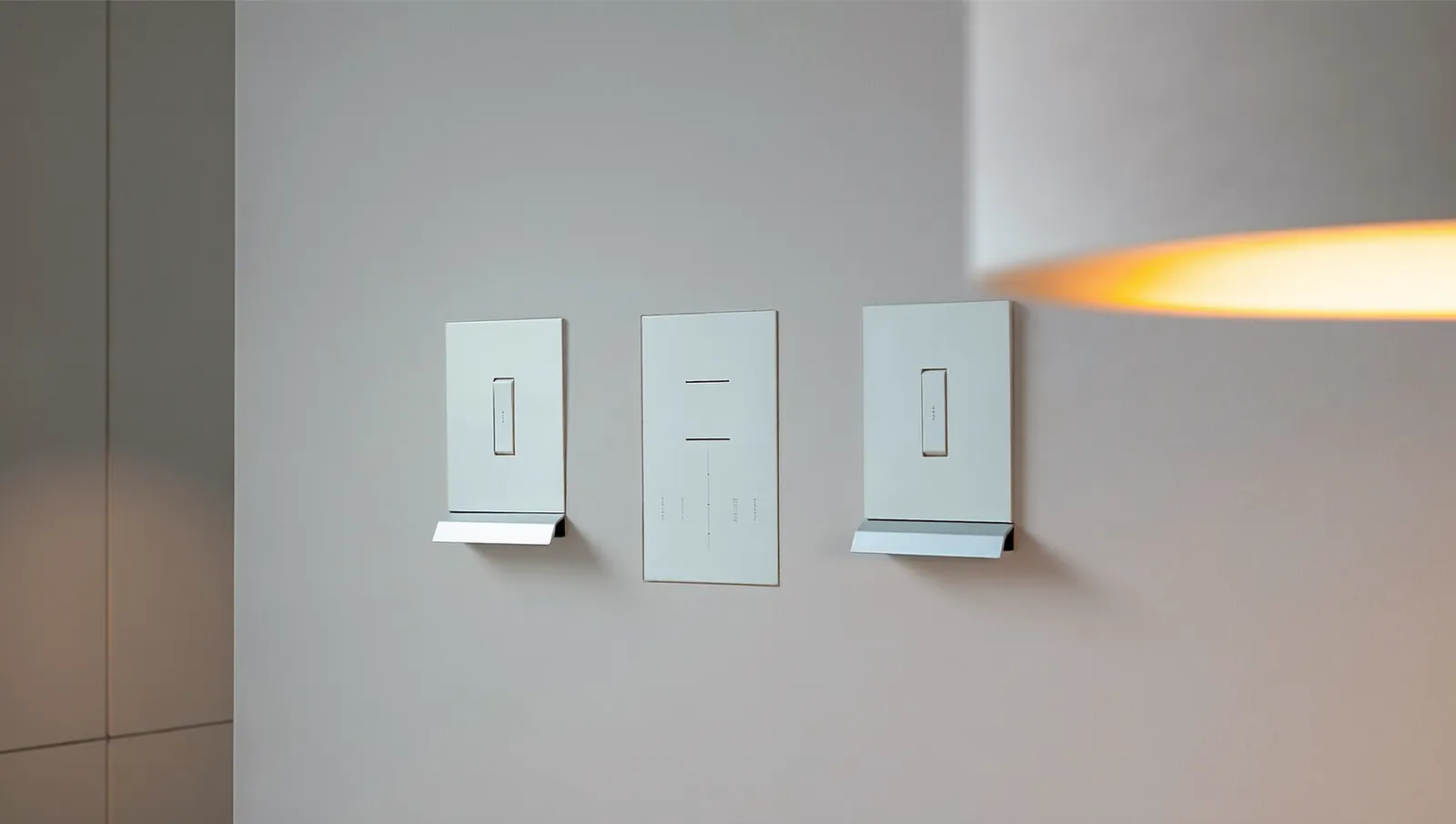
Caseta uses dimmers and switches plus Pico wireless remotes, including wall-mounted Picos for scenes. There are no engraved multi-button keypads.
RadioRA 3 adds Sunnata RF keypads (Type X), seeTouch keypads and hybrid keypads, along with Pico remotes, according to Lutron. Keypads can be engraved by room or scene, such as “Entertain,” “Goodnight” or “Pathway.”
HomeWorks adds Lutron’s architectural keypad families. Lutron’s HomeWorks architecture document shows Palladiom, Square Palladiom, Alisse, Aviena, Signature Series, Architrave and International seeTouch keypads, plus seeTouch and Sunnata RF. These are the metal-finish, low-profile keypads you see in high-end homes. Wired keypads also mean fewer wireless devices to place and maintain.
A practical point: a keypad at the front door, garage entry and primary bedroom does more for daily life than a dimmer in every closet. Plan keypads around how you move through the house.
Shades, Ketra and the rest of the house
All three systems can control Lutron motorized shades, though the shade families differ by system. Lutron’s HomeWorks architecture document places Triathlon and Sivoia QS Wireless shades on the Clear Connect Type A link and wired Sivoia QS shades and power panels on the QS link. Ask your installer which shade models are supported on the system you are quoted.
Ketra tunable lighting (Lutron’s color and color-temperature fixtures and lamps) appears in Lutron’s HomeWorks architecture on the Type X side, alongside Lumaris tape light. If tunable “circadian-style” lighting is a priority, confirm current Ketra support for the system you are quoted.
Caseta integrates with Alexa, Apple Home, Google Home, Sonos, Ring, ecobee, Honeywell and SmartThings, according to Lutron’s Caseta page. Lutron’s RadioRA 3 page shows Apple Home, Google Home, Alexa, Sonos, ecobee, Josh and Alarm.com, among others. RadioRA 3 and HomeWorks also integrate with major voice assistants and with professional control systems; ask your installer which integrations are in scope.
Who can buy, install and program each system
Caseta is sold at retail. Lutron says each Caseta dimmer, switch and fan control installs in under 15 minutes. Setup and programming happen in the Lutron app.
RadioRA 3 is sold through Lutron’s electrical and A/V partners. Lutron’s support documentation states that access to the Lutron Designer programming software is available only after completing RadioRA 3 qualification training. Homeowners get the Lutron app for scenes, schedules and day-to-day changes. Bigger changes go back to your installer.
HomeWorks is not sold at retail. It is designed, sold and programmed through Lutron’s dealer network of integrators, and Lutron’s dealer program page presents it as one of the two residential systems its dealers offer, alongside RadioRA 3.
The Texas licensing rule
Line-voltage dimmers, switches and keypads that replace a wall switch are connected to 120-volt household wiring. Under the Texas Electrical Safety and Licensing Act (Occupations Code Chapter 1305), that is electrical work, and the Texas Department of Licensing and Regulation (TDLR) says anyone performing electrical work in Texas must be licensed unless an exemption applies.
The exemptions that matter here:
- Owner-occupants. TDLR lists an exemption for electrical work on a dwelling the person owns and lives in. Cities can still require permits and inspections, and local rules can override state exemptions.
- Low-voltage control wiring. Class 1, 2 or 3 remote-control, signaling and power-limited circuits are exempt from state licensing. That covers things like QS keypad wiring and low-voltage shade wiring, but not the 120-volt side.
This is general information, not legal advice. If anyone other than you is installing dimmers in your home, they need a TDLR electrician license (or must work under a licensed electrical contractor). We recommend a licensed electrician for any line-voltage work, including Caseta. Wrong-wire mistakes in a switch box can damage the dimmer or create a hazard.
What it costs
Total system prices vary too much by home to quote a single honest number. Published figures we reviewed (mostly from dealers and installers marketing their own services) disagreed by thousands of dollars for similar homes, so we are not repeating them. What we can show is the hardware price gap at the single-device level, from two public retail listings. Many electrical distributors only show RadioRA 3 prices to trade accounts, so treat these as snapshots, not list prices.
Single public US retail listings, checked November 15, 2026; hardware only, no labor or programming
Each bar is one retailer's listed price on the date checked; prices vary by seller, and HomeWorks hardware is not publicly priced.
Source: Abt Electronics (Caseta) and Electric Bargain Stores (Sunnata) retail listings, November 2026
View the data
| Listed price | |
|---|---|
| Caseta smart dimmer (PD-6WCL-WH) | $65 |
| RadioRA 3 Sunnata RF PRO dimmer (RRST-PRO-N-WH) | $178 |
How to think about the tiers:
- Caseta costs are mostly hardware plus electrician time. A hub, dimmers and a handful of Picos. There is little or no programming labor.
- RadioRA 3 adds processors, keypads (which cost more than dimmers), design time and programming. In the two listings above, the Sunnata PRO dimmer costs about 2.7 times the Caseta dimmer ($178.07 ÷ $64.95), before labor.
- HomeWorks adds wired infrastructure, architectural keypads, possible lighting panels, and more design and commissioning hours. It is priced by the project, not the switch.
What drives the number: count of loads and keypads, keypad finishes, how many motorized shades, panel dimming versus in-wall dimmers, whether the home is new construction (cheaper to wire) or a retrofit, and how much programming you want.
Ask for an itemized quote that separates hardware, electrical labor, design, programming and support. That is the only way to compare bids fairly.
Who each system suits
| Caseta | RadioRA 3 | HomeWorks | |
|---|---|---|---|
| Typical home | Existing homes, a few rooms to a whole modest home | New custom homes, major remodels | Large estates, architect-led projects |
| Max devices | 75 per hub | 390 per system (200 Type X + 190 Type A) | 32 links of up to 100 devices, up to 10,000 zones |
| Keypads | Pico remotes | Sunnata, seeTouch, hybrid | Palladiom, Alisse, Signature, Architrave and more |
| Wiring | Wireless, replaces switches | Wireless, optional wired accessories | Wireless and wired QS links, panel dimming |
| Programming | Homeowner app | Lutron-trained installer, homeowner app for changes | Lutron dealer |
| Buy at | Retail | Lutron partners | Lutron dealers |
Mistakes to avoid
- Buying a system for today’s room count without counting Picos, sensors and shades.
- Choosing fixtures first and dimmers second. Check LED compatibility before ordering lights.
- Putting a single processor at one end of a long ranch plan and expecting range at the other end.
- Skipping keypad planning. Scenes at entries are what make a system feel finished.
- Hiring an unlicensed installer for line-voltage work.
- Not asking who holds the programming file and what happens if you change installers.
Questions to ask a lighting control installer
- How many devices does my plan use, and how close is that to the system limit?
- Which dimmer model is on each load, and did you check each fixture for LED compatibility?
- Who is the TDLR-licensed electrician on the project?
- Where will processors and repeaters go, and how did you check range?
- Will I get a copy of the programming file, and what does support cost after handoff?
- What changes can I make myself in the app?
What to do next
Count your loads. Walk the house and list every switch you want to dim or control, every place you would like a scene keypad, and every window you might motorize. If the list is under about 60 devices and you do not need engraved keypads, Caseta is likely the efficient choice. If you want designer keypads, shades and whole-home scenes, get RadioRA 3 quotes. If the house is very large, has heavy architectural lighting, or you want wired keypads and tunable Ketra fixtures, include HomeWorks in the comparison.
If you are in Dallas-Fort Worth, we are happy to look at your plans and talk through which tier fits.
Frequently asked questions
Can Caseta and RadioRA 3 be mixed?
Not as one system. Lutron says a RadioRA 3 processor can control up to 100 RadioRA 2 and RA2 Select devices, and it keeps a backwards-compatibility list of the exact models, but Caseta and RadioRA 3 are sold and programmed as separate systems. If you think you will outgrow Caseta, check that list and plan the upgrade path with your installer before buying a lot of Caseta hardware.
Is RadioRA 3 worth it over Caseta?
It is worth it when you need more than 75 devices, engraved keypads, deeper scenes and schedules, or integrated shades across the house. For a few rooms of dimming in an existing home, Caseta does the core job well for less.
Do I need HomeWorks for a large house?
Not always. A four-processor RadioRA 3 system supports up to 390 devices, which covers many large homes. HomeWorks makes sense when you need more than that, wired keypads, centralized panels, architectural keypad lines or Ketra.
Can I install Caseta myself in Texas?
TDLR exempts electrical work on a home you own and live in from state licensing, but your city may still require a permit, and local rules can override the exemption. Anyone you hire to install line-voltage dimmers must be a TDLR-licensed electrician. When in doubt, use a licensed electrician.
Do Lutron systems need Wi-Fi to work?
No. Switches, keypads and remotes talk over Lutron’s Clear Connect radio, not Wi-Fi. The hub or processor uses your network for the app, remote access and integrations.
Why do my LED lights flicker on a Lutron dimmer?
Usually the lamp or driver is not compatible with that dimmer, the dimmer is loaded close to its limit, or the low-end trim needs adjusting. Check the fixture in Lutron’s LED compatibility tool and ask your installer to tune the trim settings.
Sources
- Caseta Smart Hub product selection FAQ, Lutron Support
- RadioRA 3 System Overview, Lutron Support, accessed 2026
- HomeWorks System Architecture for 120 VAC and 434 MHz regions, Lutron Electronics, rev. March 2025
- RadioRA 3 product selection FAQs (Clear Connect Type A and Type X frequencies), Lutron Support
- Clear Connect Technology white paper, Lutron Electronics
- RadioRA 3 System Programming and Configuration Overview, Lutron Support
- Caseta Wireless In-Wall Dimmers troubleshooting and selection, Lutron Support
- The Pico Remote, Lutron Support
- Caseta smart lighting system page, Lutron Electronics, accessed 2026
- Exemptions to Electrician Licensing, Texas Department of Licensing and Regulation
- Electrical Safety and Licensing FAQ, Texas Department of Licensing and Regulation
- Texas Occupations Code Chapter 1305, Electricians, Texas Legislature
- Lutron Caseta PD-6WCL in-wall dimmer listing, Abt Electronics, accessed November 2026
- Lutron RRST-PRO-N-WH Sunnata RF PRO dimmer listing, Electric Bargain Stores, accessed November 2026
- Sunnata PRO Dimmers and Switches for RadioRA 3 System, Lutron Support
- RadioRA 3, Lutron Electronics, accessed 2026
- Become a Lutron Dealer, Lutron Electronics
More from the Journal
Tunable white and circadian lighting: what the research actually shows
Light at the eye affects your body clock, and the science now gives real numbers. Here is what is proven, what is not, and how a lighting control system puts the numbers to work at home.
Control4 vs Savant vs Crestron: which smart home system fits your home?
How the three big professional platforms compare on interfaces, dealers, programming, yearly fees and long-term support, plus where Josh.ai, Lutron-only systems and DIY options like Home Assistant and Apple Home fit.
Is home automation worth it, and does it add resale value?
What buyer surveys, listing studies and federal energy data actually show about smart home value, where the evidence is strong, where it is thin, and how to spend so the money holds up.
Planning a project in Dallas–Fort Worth?
Tell us about the house. You get a clear scope and a price range back.