How to plan a home theater or media room that actually works
Screen size, projector or TV, Dolby Atmos speaker layout, room shape, acoustics and video quality, in the order you should decide them. Each rule comes with the number behind it.
Start with the room you have, then decide what kind of room it is
There are two very different projects hiding under “home theater.”
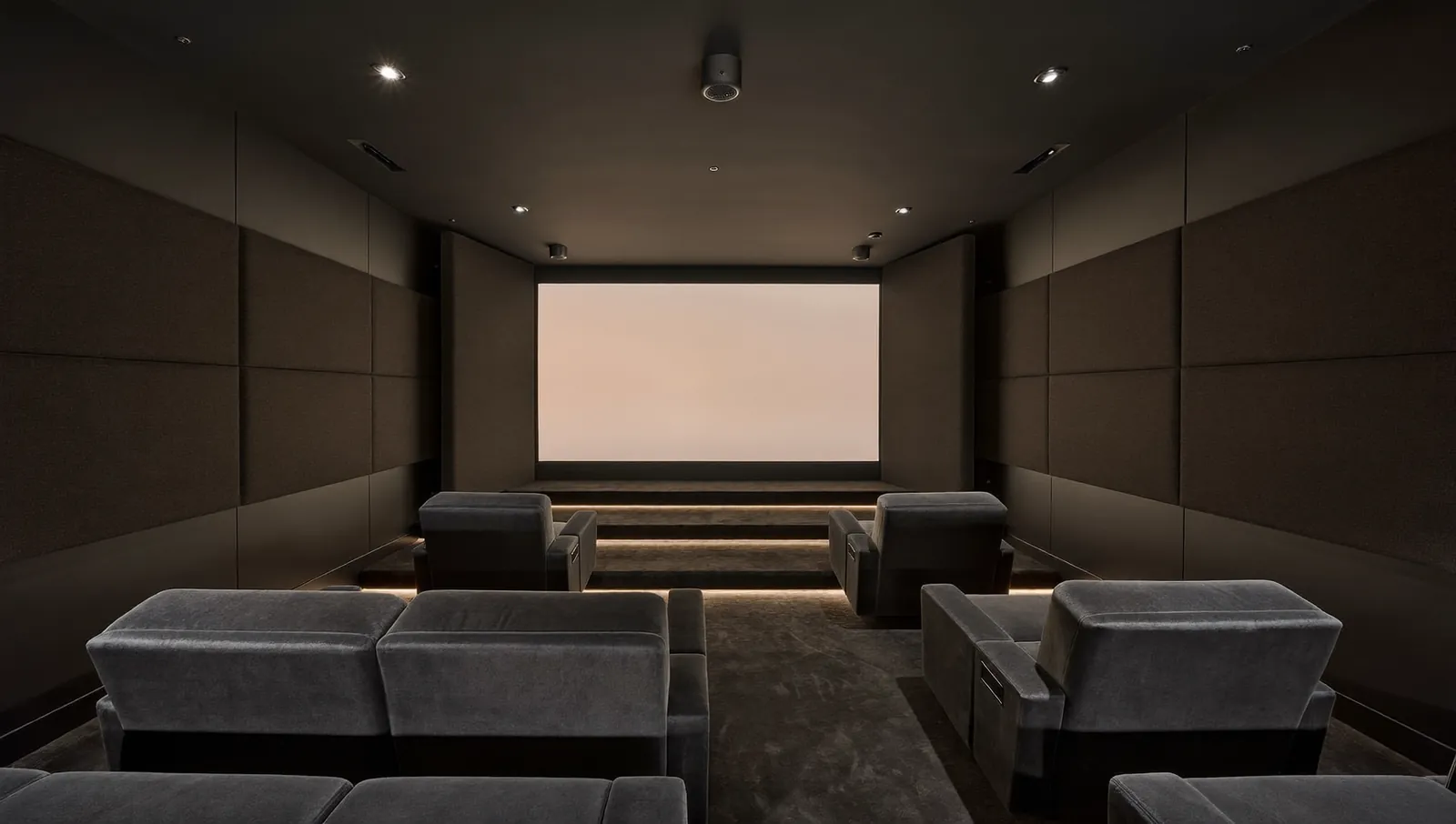
A dedicated theater is a closed room used mostly for movies. You can control the light, so a projector and a large screen make sense. You can put speakers anywhere, including the ceiling, and you can treat the walls without worrying how it looks at a dinner party.
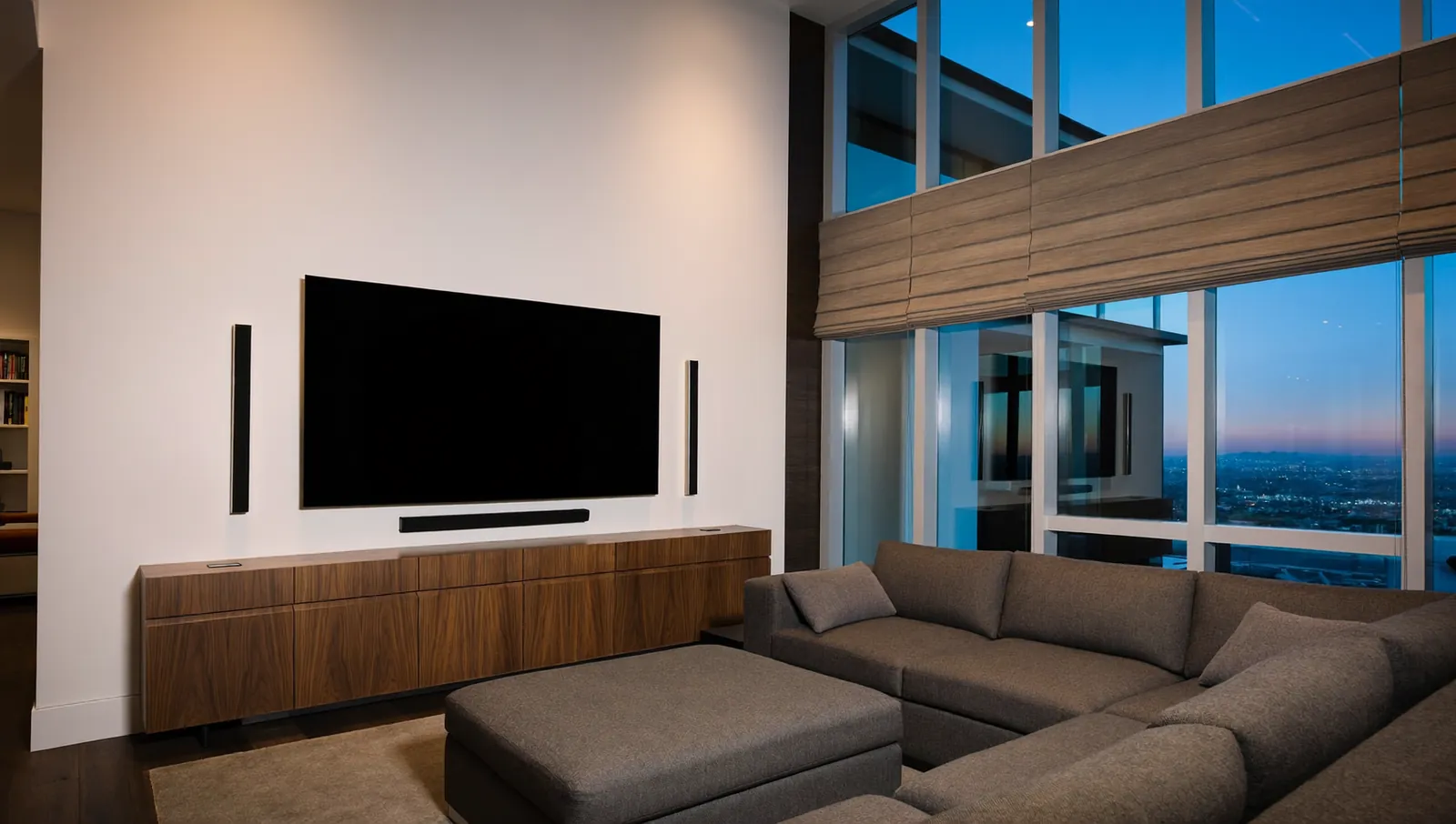
A media room is a living space that also does movies and sports. It has windows, an open side to the kitchen, and people who want to see the game at 2 p.m. Light control is partial, decor matters, and the TV is usually the right screen.
Decide which one you are building before you shop. Mixing the two causes most disappointing rooms: a projector in a bright game room, or a bare-walled dedicated room full of expensive speakers and no treatment.
In Dallas–Fort Worth new construction, a common case is an upstairs “game room” or “media room” in a two-story home in suburbs like Frisco, Prosper, Celina or Forney. These rooms often sit under a hot attic, have a few windows, and share an open stair. They can be very good media rooms. They are hard to turn into true dark theaters without doors and window treatment.
Screen size vs viewing distance
The right screen size depends on how far you sit and how much of your field of view you want the picture to fill. Industry guidance is written as a horizontal viewing angle: the angle between your eyes and the left and right edges of the screen.
- 30 degrees traces back to SMPTE (the Society of Motion Picture and Television Engineers) Engineering Guideline EG 18-1994 for cinemas, which said an image looks small when it fills less than about 30 degrees of the viewer’s horizontal field of vision. SMPTE withdrew that guideline in 2003, but 30 degrees is still a useful floor and a comfortable “large TV” feel.
- 36 degrees is the horizontal viewing angle THX recommends from the farthest seat in its certified cinema designs.
- About 40 degrees is what THX’s home sizing rule works out to. THX tells homeowners to multiply seat-to-screen distance in inches by 0.835 to get the screen diagonal; for a 16:9 screen, that is a 40 degree angle.
You can turn an angle into a screen size with basic trigonometry. Screen width = 2 x distance x tan(angle / 2). For a 16:9 screen, the diagonal is the width divided by 0.872. At 12 feet (144 inches) and 40 degrees, the width is 2 x 144 x tan(20 degrees), about 104.8 inches, and the diagonal is about 120 inches (the same as 144 x 0.835).
Diagonal in inches for three viewing-angle targets
Find your eye-to-screen distance on the bottom axis; the three lines give the screen diagonal for each viewing angle, so anything between the bottom and top lines is a reasonable choice.
View the data
| 30° (SMPTE EG 18 threshold) | 36° (THX cinema, farthest seat) | 40° (THX home rule, distance × 0.835) | |
|---|---|---|---|
| 8 ft | 59 in | 72 in | 80 in |
| 9 ft | 66 in | 81 in | 90 in |
| 10 ft | 74 in | 89 in | 100 in |
| 11 ft | 81 in | 98 in | 110 in |
| 12 ft | 89 in | 107 in | 120 in |
| 13 ft | 96 in | 116 in | 130 in |
| 14 ft | 103 in | 125 in | 140 in |
| 15 ft | 111 in | 134 in | 150 in |
| 16 ft | 118 in | 143 in | 160 in |
How to use the chart
- Measure from the backrest of the main seat to the screen wall, then subtract about a foot for head position.
- Read the 30 degree and 40 degree lines at that distance. That is your range.
- Pick the low end for a media room where people also read, scroll and watch news. Pick the high end for a dedicated theater with 4K sources.
- Check the back row. With two rows, the back row sits farther away, so it sees a smaller angle. Size for the main row and make sure the back row still lands near 30 degrees.
Height matters as much as width
Keep the center of the screen near seated eye level or slightly above, so no one tilts their head back. Over a fireplace is the classic mistake. In a two-row theater, plan the riser before you size the screen, because it sets the back-row eye height.
Projector or large TV in 2026
Both are very good now. The choice comes down to size, light and budget.
When a TV wins
- Light. A modern flat panel is far brighter than a projected image and holds contrast with the lights on. In a room with windows, an open kitchen or daytime sports, a TV is usually the better picture.
- Simplicity. One box, no screen to choose and no fan noise.
- Size has caught up, at a price. TVs now reach the 115 to 116 inch class. In August 2025, Tom’s Guide reported that Hisense’s 116-inch RGB mini-LED TV launched at $29,999, a day after Samsung launched a 115-inch Micro RGB TV at the same price. Prices change quickly, so check current pricing. A 98 to 100 inch TV is a more common choice for media rooms, and at 10 to 12 feet it falls between roughly 33 and 40 degrees in the chart above.
When a projector wins
- Size per dollar. Above about 100 inches, TV choices are few and expensive, so a projector and screen is the usual route to 120 inches and beyond in a dedicated room.
- Comfort. Some people prefer a large, reflected image in a dark room to a very bright panel.
- Hidden gear. A projector can live in a soffit, a rear-wall hush box or a ceiling mount, and the screen can be acoustically transparent so the front speakers hide behind it.
What to watch with projectors
- Ambient light is the enemy. Every bit of stray light on the screen raises the black level. Dark walls and ceiling near the screen, blackout shades and no light leaking from doors matter more than the spec sheet.
- Ambient-light-rejecting (ALR) screens help in rooms you cannot fully darken, and ultra-short-throw projectors pair with special ALR screens to sit on a console near the wall. They trade some viewing-angle uniformity for that rejection.
- Brightness specs are not equal. Compare lumens measured to a stated standard (ISO 21118 or ANSI) and read independent reviews for calibrated brightness, which is often far below the box number.
- Heat and noise. Projectors run warm and have fans. In a DFW upstairs room under an attic, ventilation for the projector and the equipment rack is not optional.
A practical rule: if you can make the room dark, a projector buys you size. If you cannot, buy the biggest TV that fits the 30 to 40 degree range and spend the rest on sound and shades.
Dolby Atmos speaker layouts
Dolby Atmos adds height to surround sound. The naming tells you the layout. In “7.1.4,” the first number is the speakers at ear level, the second is the subwoofer channels, and the third is the overhead speakers.
The two layouts most homes use
| Layout | Ear-level speakers | Overhead speakers | Best fit |
|---|---|---|---|
| 5.1.2 | Left, center, right, two side surrounds | Two “top middle,” above or just in front of the seats | Media rooms, smaller theaters, one row |
| 7.1.4 | Left, center, right, two side surrounds, two rear surrounds | Two top front, two top rear | Dedicated theaters, two rows, deeper rooms |
Dolby’s guidelines also show 5.1.4, 7.1.2, 9.1.2 and 9.1.4 layouts for other rooms and budgets.
Dolby’s placement rules worth knowing
The Dolby Atmos Home Theater Installation Guidelines (December 2018 edition) give specific numbers:
- Ear-level speakers at the same height, typically 3.9 feet (1.2 meters), which Dolby notes is ear level for the average seated listener. If the rear speakers must go higher, Dolby suggests no more than 1.25 times the front speaker height.
- Overhead speakers at 45 degrees. In a 7.1.4 reference layout, the elevation from the listening position to the top front and top rear speakers should be 45 degrees, adjustable between 30 and 55 degrees.
- Overhead width. The overhead pairs should be spaced about as wide as front left and right speakers placed at plus and minus 30 degrees.
- Speakers in pairs. Except for the center (and a center surround), Atmos speakers go in pairs.
- No dipoles. Dolby says dipole surround speakers are not recommended for Atmos.
- Calibrate. Dolby gives a target of 79 to 82 dB SPL (C-weighted) at the main seat for each full-range speaker with -20 dBFS pink noise, depending on room size. Most receivers’ auto-calibration gets close; check the subwoofer and any upward-firing speakers by hand.
If you cannot put speakers in the ceiling
Dolby Atmos enabled (upward-firing) speakers bounce sound off the ceiling. Dolby’s guidelines say the ceiling should be flat, not vaulted, between 7.5 and 14 feet high (ideally 7.5 to 12 feet), and made of a reflective material such as drywall. Keep listeners at least 3 feet from the upward-firing speaker, ideally 5 feet or more. They work, but in-ceiling speakers in the right spots are better when you can install them. Vaulted ceilings, common in Texas living rooms, are a poor match for upward-firing speakers.
Subwoofers
Two subwoofers smooth bass across more seats than one, because each excites the room’s resonances differently. Plan for them early, since good locations (front corners, midpoints of walls) often conflict with doors and furniture.
Room size and shape
Shape
Rectangular rooms are easiest. Square rooms, and rooms where two dimensions are equal or simple multiples (for example 12 by 24 feet), stack their bass resonances on the same frequencies, which gives boomy notes and dead spots.
You can see where the problems start with one number. Sound travels about 1,130 feet per second at room temperature. The lowest resonance between two parallel walls is 1,130 / (2 x the distance). For a 20 foot room, that is about 28 Hz; for 15 feet, about 38 Hz. When length, width and height produce resonances on the same frequencies, they reinforce each other. Uneven dimensions spread them out.
Size and seating
- Seats off the back wall. Bass builds up against the back wall. Keep the main row a few feet forward if you can.
- Seats off the center line in width. The exact middle of the room width is often a bass null. Try the main seat slightly off center and measure.
- Riser. For two rows, plan a riser of roughly a foot or more and confirm sight lines with the actual seat height.
- Ceiling height. Overhead speakers need room. In an 8 foot ceiling with a riser, the back row’s heads get close to the speakers. Run the 45 degree rule from each row, not just the front.
Infrastructure to plan before drywall
- Conduit from the equipment location to the screen and projector location, so you can pull new HDMI or fiber later.
- A dedicated equipment closet or rack with ventilation, not a sealed cabinet. In DFW, never put the rack in the attic.
- Dedicated circuits for the amplifiers and the rack, designed and installed by a TDLR-licensed electrician. Line-voltage work in Texas requires a license.
- Network: wired Ethernet to the TV or projector, the streamer and the AV receiver.
Acoustic treatment basics
Treatment is often the most cost-effective improvement in a room. Dolby’s guidelines recommend sound-absorbing and sound-diffusing treatment to control unwanted reflections from the walls and floor.
- First reflections. Put absorption on the side walls where a mirror held flat against the wall lets the main seat see the front speakers. This sharpens dialogue and imaging.
- Front wall. In a dedicated theater, dark absorptive material behind and around the screen helps both sound and picture.
- Rear wall. A mix of absorption and diffusion keeps the room from sounding dead.
- Floor. Carpet and a pad tame floor reflections. Hard floors with a large rug work in media rooms.
- Bass. Thin panels do little below a few hundred hertz. Bass control comes from thick corner treatment, subwoofer placement, two subs and room correction.
- Ceiling. If you use upward-firing speakers, leave the ceiling reflective above them, as Dolby specifies.
Do not over-treat: thin foam everywhere sounds dull but still booms.
Sound isolation (keeping the movie in and household noise out) is a separate job, and a framing decision: decide early if you need it.
Video quality: streaming vs disc vs Kaleidescape
Picture and sound quality depend heavily on how much data reaches the display. The numbers below come from each company’s published figures. They measure slightly different things (a recommended connection speed, a format’s maximum, or an average), so read them as an order-of-magnitude comparison, not a lab test.
Recommended connection speeds, format maximums and published averages
Streaming figures are the internet speeds each service recommends for 4K, not the stream itself; disc figures are maximum data rates and Kaleidescape figures are the company's own claims.
View the data
| Mbps | |
|---|---|
| Netflix 4K (recommended connection) | 15 Mbps |
| Apple TV app 4K (recommended minimum) | 25 Mbps |
| Kaleidescape Strato E (movie bitrates up to) | 100 Mbps |
| UHD Blu-ray, 66 GB disc (up to) | 108 Mbps |
| Kaleidescape 4K Cinematic (company-stated average) | 120 Mbps |
| UHD Blu-ray, 100 GB disc (up to) | 128 Mbps |
What the chart means in practice:
- Streaming is convenient and has improved a lot. Netflix recommends 15 Mbps or faster for 4K, and Apple recommends at least 25 Mbps. The stream adapts to your connection, so quality can drop when your connection slows. Dolby says leading streaming providers deliver Atmos in Dolby Digital Plus rather than its lossless Dolby TrueHD codec.
- Ultra HD Blu-ray offers data rates up to 108 Mbps on dual-layer 66 GB discs and up to 128 Mbps on triple-layer 100 GB discs, according to a Blu-ray Disc Association representative quoted by What Hi-Fi? in 2015. Those are maximums; individual discs vary. Dolby says Blu-ray and Ultra HD Blu-ray deliver Atmos in Dolby TrueHD, its lossless codec.
- Kaleidescape downloads movies to local storage for uninterrupted playback. The company lists movie bitrates up to 100 Mbps on its Strato E player and says its 4K Cinematic titles average about 120 Mbps. It says Strato players support Dolby Atmos, Dolby TrueHD, DTS:X and DTS-HD Master Audio. It costs much more than a streaming box and requires buying movies.
Do you need disc or Kaleidescape? On a 65 to 85 inch TV, good 4K streaming looks very good. On a 120 inch screen with a 7.1.4 system, the gains in dark scenes and lossless audio are easier to notice. Many owners stream TV shows and use a high-bitrate source for movies. Either way, wire the streamer by Ethernet.
Questions to ask an installer
- Where will the main seat be, and what viewing angle does the proposed screen give from each row?
- Which Dolby Atmos layout do you recommend for this room, and where exactly do the overhead speakers go relative to the seats?
- How will you handle ventilation for the rack and the projector?
- What acoustic treatment is included, and how will you measure the room?
- Will you calibrate the audio and the display, and give me the settings?
- Who is the licensed electrician for the dedicated circuits?
What to do next
- Decide: dedicated theater or media room.
- Measure the room and the main seat distance, then read the chart for your screen range.
- Pick a 5.1.2 or 7.1.4 layout from the seat positions and ceiling height.
- Mark conduit, rack location, power and ventilation on the plans before drywall.
- Budget for treatment and calibration, not just equipment.
If you are building or remodeling in Dallas–Fort Worth, we are happy to look at your plans and the room with you.
Frequently asked questions
What size screen do I need for a 12 foot seating distance?
At 12 feet, a 16:9 screen of about 89 inches gives a 30 degree viewing angle, and about 120 inches gives 40 degrees. For a media room, aim near the low end (85 to 100 inches). For a dark dedicated theater, 110 to 120 inches is a common choice.
Is 5.1.2 enough, or do I need 7.1.4?
For a single row in a typical media room, 5.1.2 gives a real sense of height and costs less. For two rows or a deeper room, 7.1.4 places sound more precisely behind and above you. Dolby’s guidelines show both as standard layouts.
Do upward-firing Atmos speakers work as well as ceiling speakers?
They can work well in the right room, but Dolby’s guidance requires a flat, reflective ceiling between 7.5 and 14 feet. Vaulted or treated ceilings hurt them. When you can install in-ceiling speakers in the correct positions, that is usually the better result.
Is a projector worth it in a room with windows?
Only if you can control the light with blackout shades or drapes, or you use an ambient-light-rejecting screen and accept some limits. In a bright room, a large TV usually gives a better picture for the money.
How fast does my internet need to be for 4K streaming?
Netflix recommends 15 Mbps or faster for 4K, and Apple recommends at least 25 Mbps. Plan for more if several people stream at once, and wire the streaming device by Ethernet.
Sources
- Dolby Atmos Home Theater Installation Guidelines, Dolby Laboratories, December 2018
- Dolby Atmos speaker setup guide, Dolby Laboratories
- Dolby Atmos for the Home Theater, Dolby Laboratories
- EG 18-1994, Design of Effective Cine Theaters (withdrawn 2003), SMPTE
- What Is THX Certified Screen Placement?, THX, 2016
- How to build the THX home theater of your dreams, THX
- Internet connection speed recommendations, Netflix Help Center
- Find movies with 4K, HDR, Dolby Vision, or Dolby Atmos in the Apple TV app, Apple Support
- Ultra HD 4K Blu-ray spec is about “more than resolution”, What Hi-Fi?, 2015
- Strato E Movie Player, Kaleidescape
- 4K Cinematic, Kaleidescape
- This 116-inch RGB Mini-LED TV just went on sale, Tom’s Guide, August 2025
- Electricians, Texas Department of Licensing and Regulation
More from the Journal
Tunable white and circadian lighting: what the research actually shows
Light at the eye affects your body clock, and the science now gives real numbers. Here is what is proven, what is not, and how a lighting control system puts the numbers to work at home.
Control4 vs Savant vs Crestron: which smart home system fits your home?
How the three big professional platforms compare on interfaces, dealers, programming, yearly fees and long-term support, plus where Josh.ai, Lutron-only systems and DIY options like Home Assistant and Apple Home fit.
Is home automation worth it, and does it add resale value?
What buyer surveys, listing studies and federal energy data actually show about smart home value, where the evidence is strong, where it is thin, and how to spend so the money holds up.
Planning a project in Dallas–Fort Worth?
Tell us about the house. You get a clear scope and a price range back.